Payment
Lynx Interac e-Transfer Payments
Interac e-Transfer payments matched to invoices automatically
lynx_interac_payment
· v19.0.1.2.1
· Standard
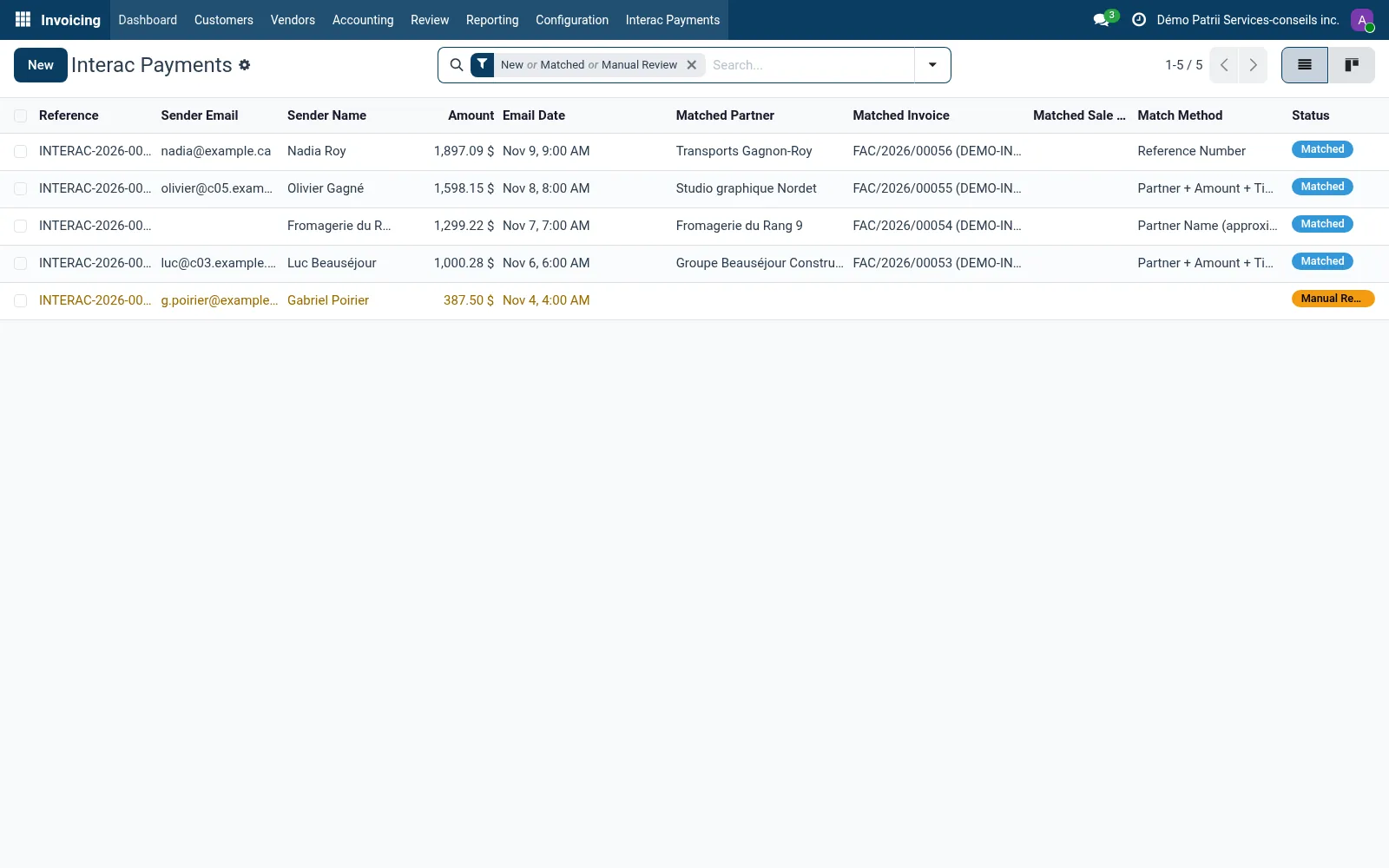
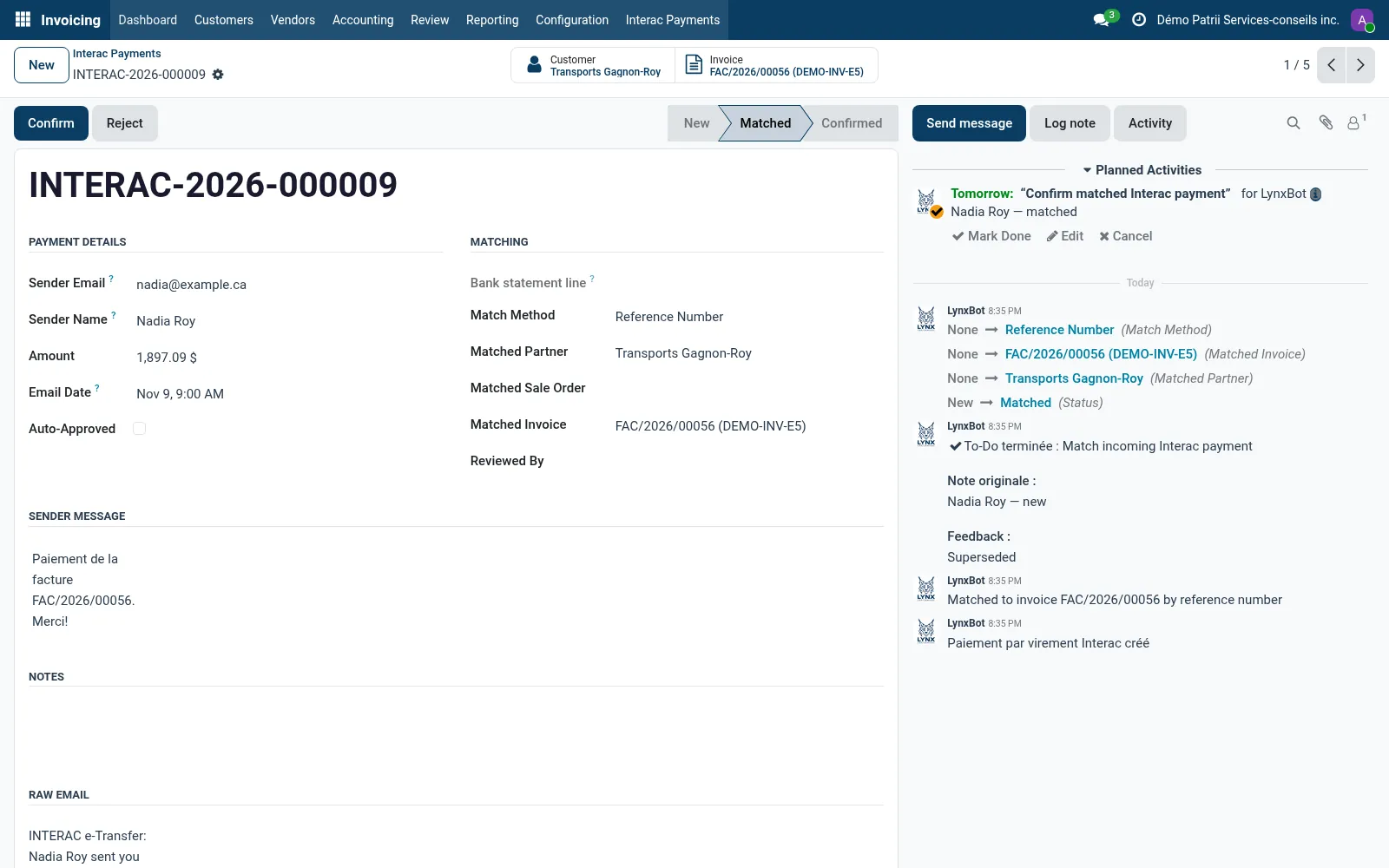
Interac e-Transfer reads the deposit notifications that arrive in a mailbox you choose and turns each one into a payment record: sender, amount, message and date. It then looks for what the payment settles, by the reference in the message, by the sender's email and amount, or by the sender's name.
Confirmed payments are registered and reconciled on the invoice. Payments that cannot be placed wait in a review queue.
Why teams pick it
What Lynx Interac e-Transfer Payments does for you
Reads the notifications
A scheduled job reads the configured incoming mail server and parses each e-Transfer notification.
Matching strategies
Reference number in the message first, then sender email with amount and timing, then sender email or name alone. The method used is recorded.
Auto-approve, with limits
A global setting and a per-customer override; matches by name or without an invoice always go to a person.
Payment registered
Confirming registers the payment on the invoice, invoices a confirmed order first, or records a customer credit.
Review queue
Unmatched payments keep the full email so someone can choose where they go.
Product tour
See it in action
Try Lynx Interac e-Transfer Payments on your team.
Free trial, no credit card. Talk to sales when you're ready.