Discuss
Lynx Discuss Control
Moderators and call controls for Lynx video calls
lynx_discuss_control
· v19.0.1.1.1
· Standard

Discuss Control adds a moderator role to video calls: moderators mute one participant or everyone, lock screen sharing, microphones or cameras, and share control with co-hosts.
Why teams pick it
What Lynx Discuss Control does for you
Moderator role
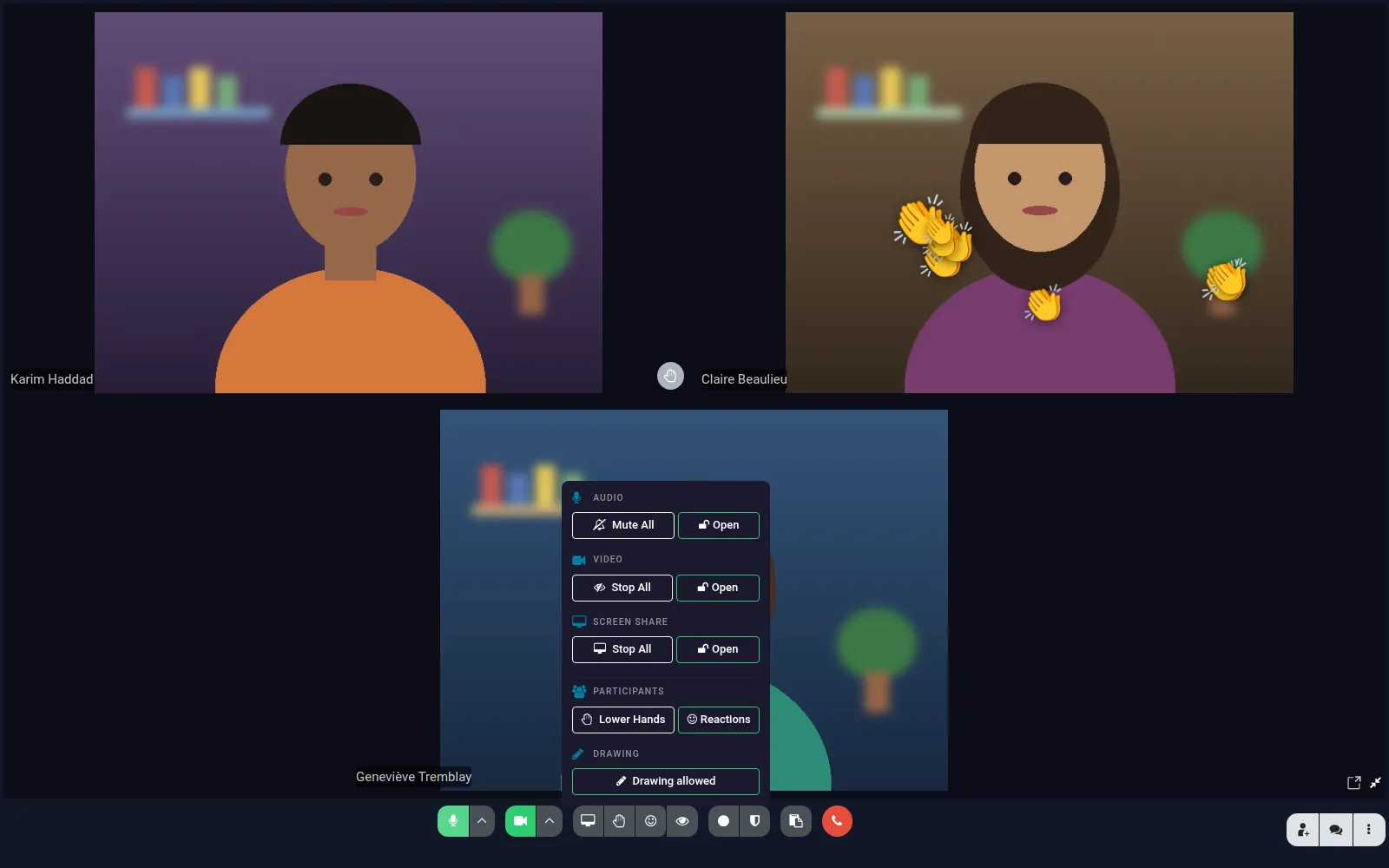
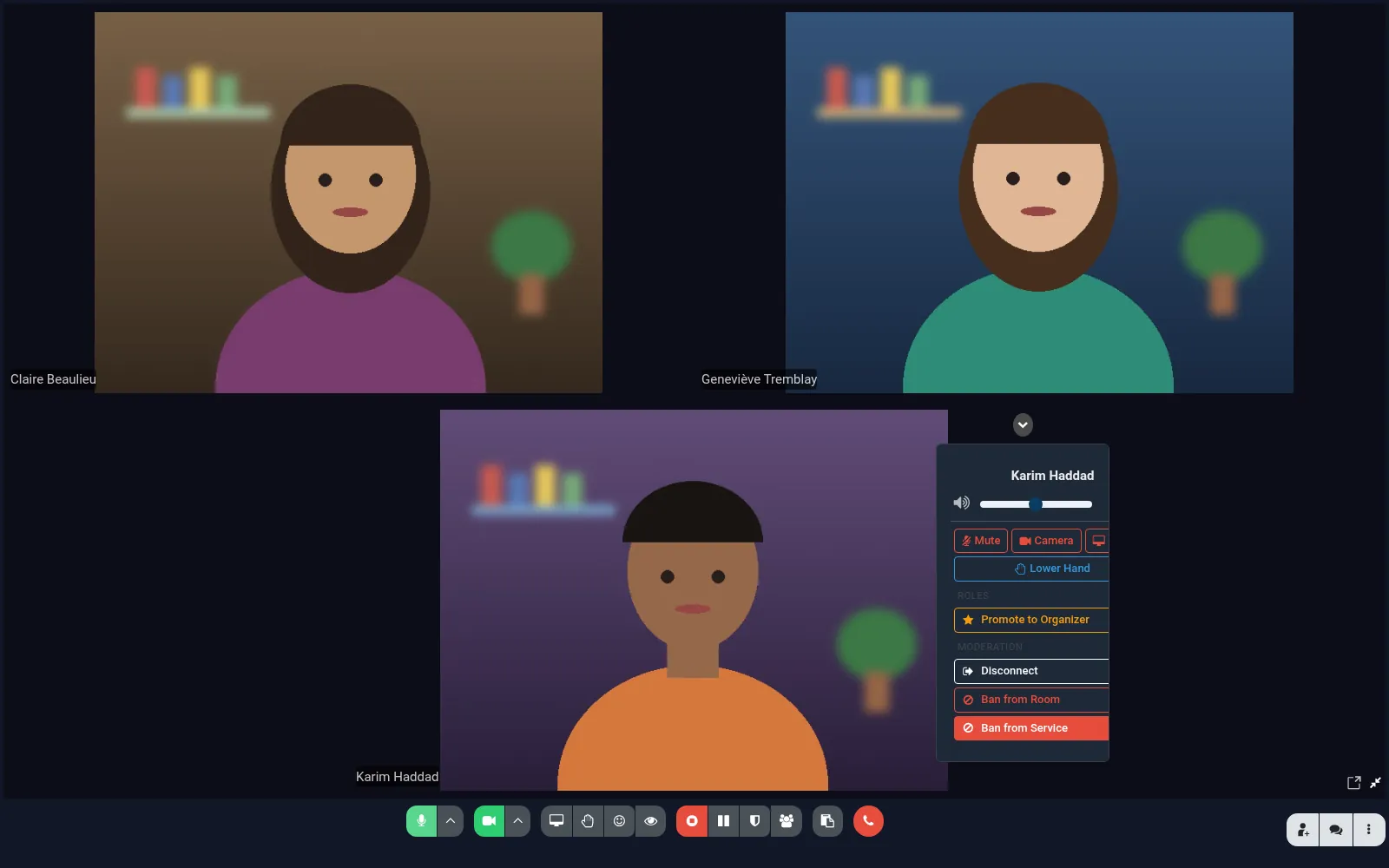
Permanent moderators on the channel, plus temporary co-hosts for a call.
Mute others
Mute a participant or the whole call in one click.
Locks
Lock screen sharing, microphones or cameras for participants.
Reactions
Participants send emoji reactions that float over their video; the moderator can turn reactions off.
Raised hands and speaking rights
Lower one or every raised hand, and grant the floor while microphones are locked.
Disconnect and ban
Remove a participant from the call, or ban them from the room or from every meeting room, with a log of later join attempts.
Drawing on shared screens
Participants draw over a shared screen; the moderator can allow or disable it.
Product tour
See it in action
Integrations
Lynx Discuss Control works with 1 other module
Each bridge ships separately so you only install what your team uses.

Try Lynx Discuss Control on your team.
Free trial, no credit card. Talk to sales when you're ready.