
Real features. Real screenshots. ACME Certificates with Secret as a Service.
This is the second article in our series showing real features from the upcoming Patrii Cloud release.
No mockups.
No marketing renders.
Only features that already exist and are actively being tested.
Today we are covering ACME Certificates, fully integrated with our Secret as a Service and DNS as a Service.
All screenshots in this article are taken directly from our current internal build.
TLS certificates without the hassle
Getting a TLS certificate for your domain usually means dealing with external tools, manual renewals, and scattered files.
With Patrii Cloud, certificates are now a native part of your infrastructure.
If your domain is managed through our DNS as a Service, you can order a production ready ACME certificate directly from the Patrii console.
No external tools.
No command line acrobatics.
No copy pasting between providers.
Ordering a certificate in seconds
From the Secret Vault, click ACME Certificates to open the certificate panel.
If you have not ordered a certificate yet, the panel is empty and ready for your first one.
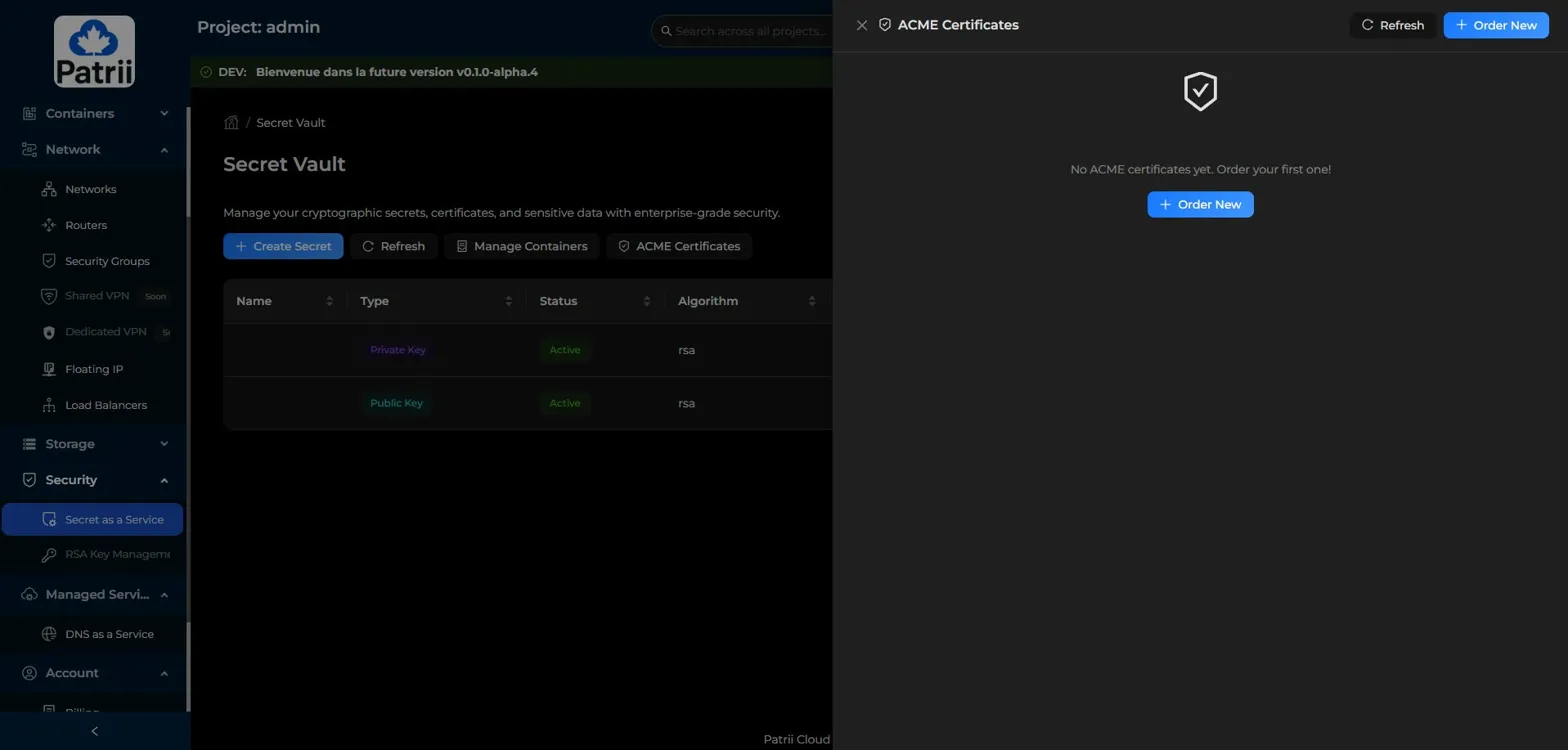
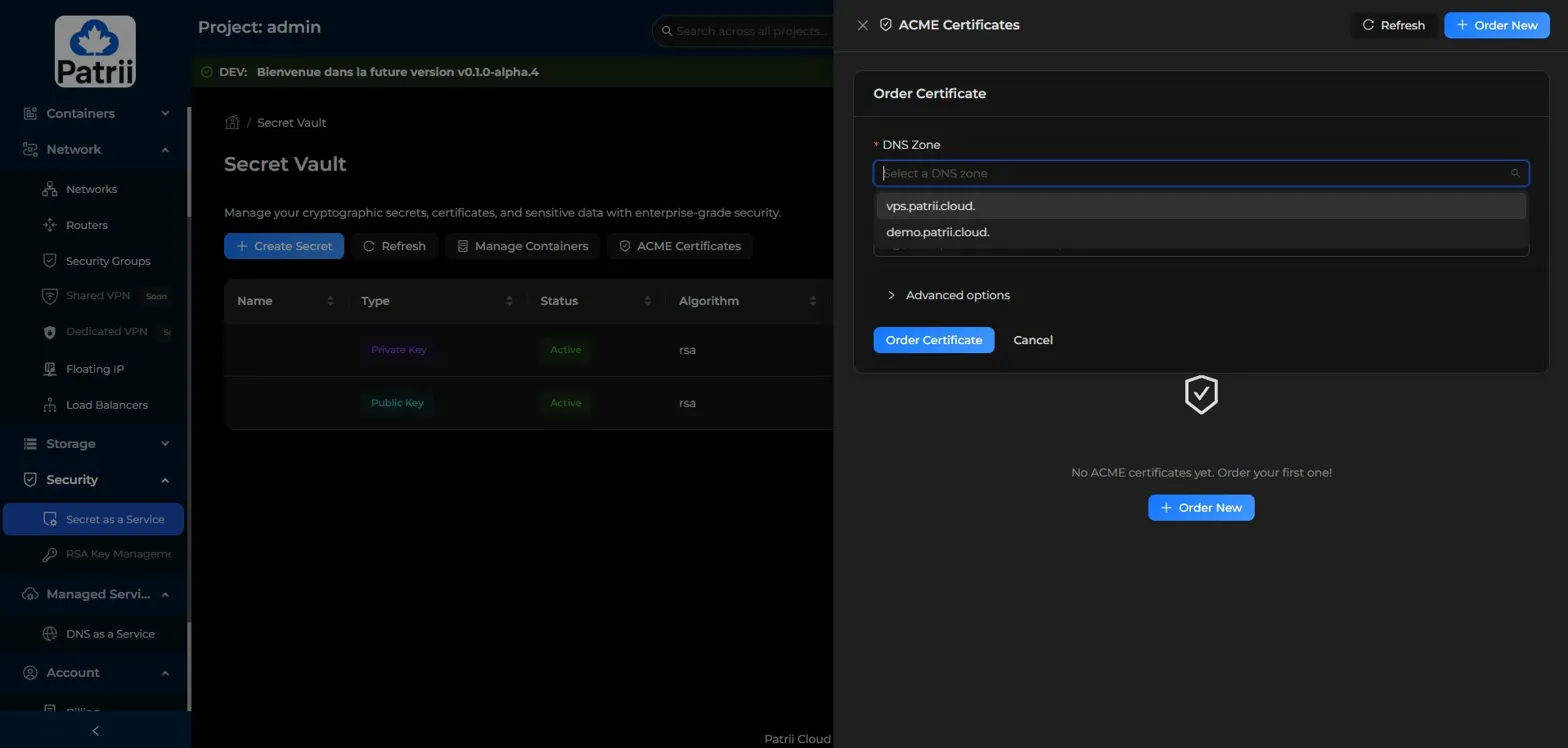
Click Order New.
Select the DNS zone you want to issue a certificate for. Patrii automatically lists the zones managed by your project through DNS as a Service.
Add the domains you want on the certificate. You can include multiple subdomains in the same certificate.
For example, both demo.patrii.cloud and test.demo.patrii.cloud on a single certificate.
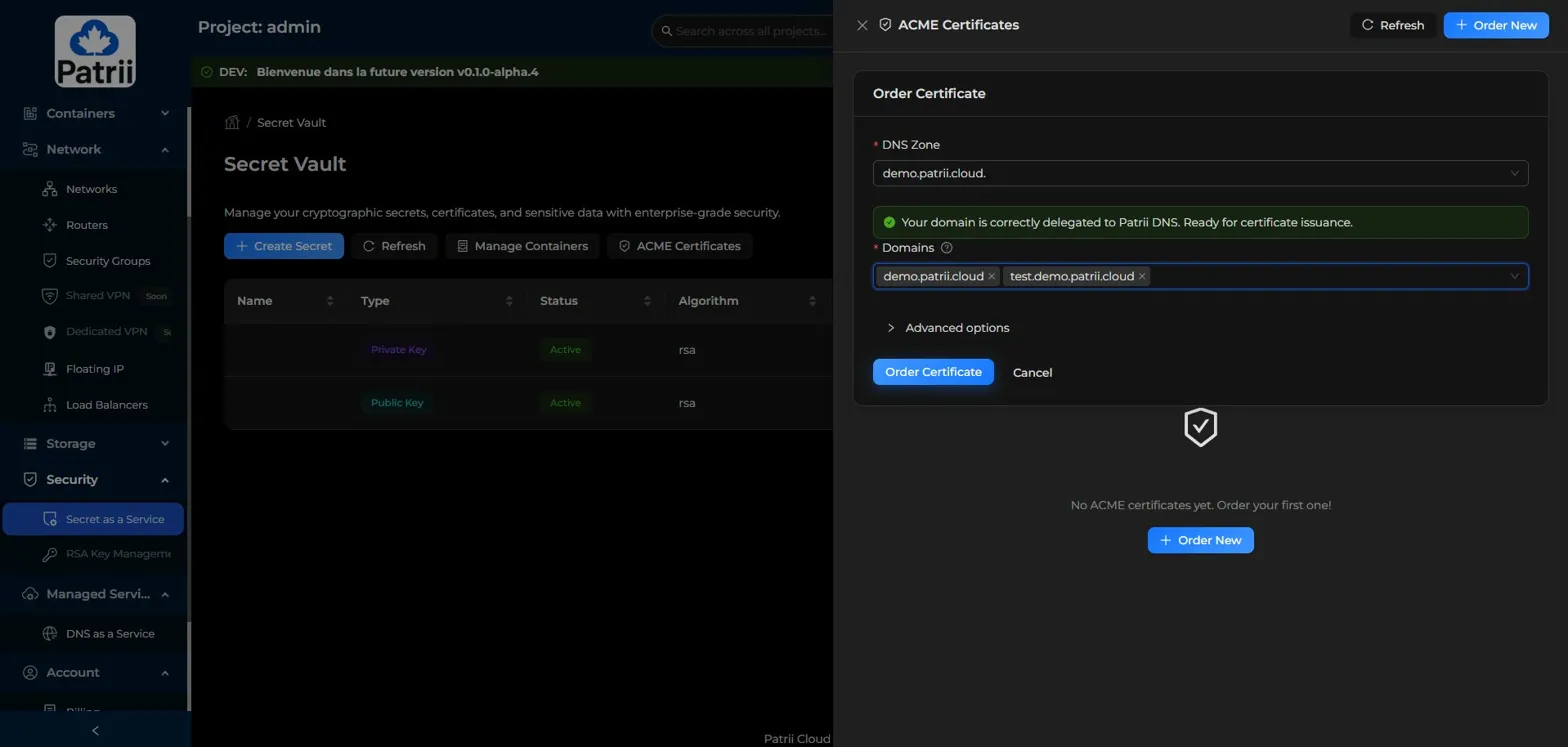
The platform checks your DNS delegation automatically. If your domain is correctly delegated to Patrii DNS, you see a clear green confirmation. No A record is required to issue the certificate. Only delegation to our nameservers.
Click Order Certificate and the platform handles the rest.
Issued, tracked, and renewable from one place
Once your certificate is issued, it appears in the ACME Certificates panel with all the information you need at a glance.
You can see:
- the domain and any additional domains covered
- issuance status
- environment (Production or Staging)
- expiration date
- last renewal date
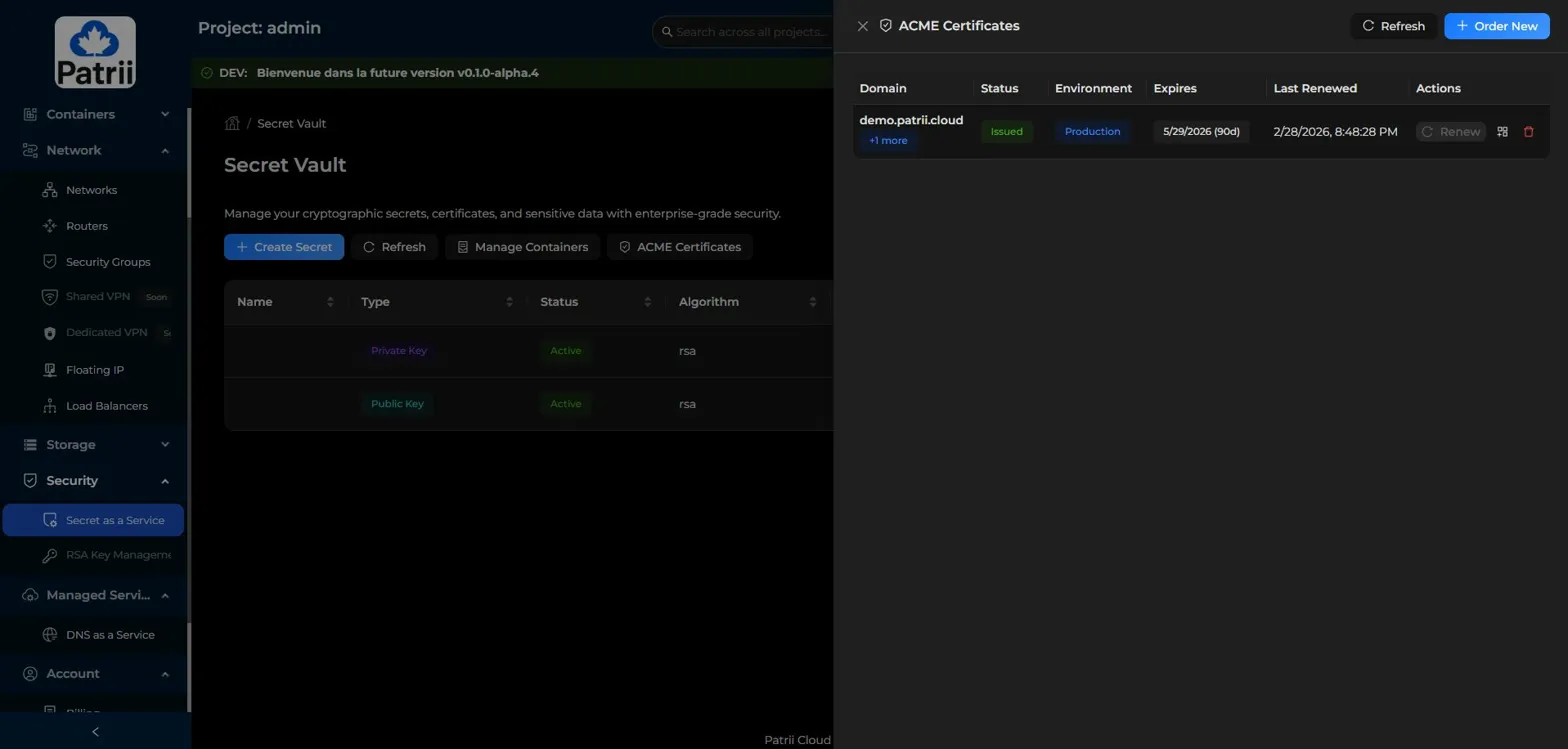
ACME Certificates panel showing an issued certificate with status, expiration, and renewal info
Need to add more domains to an existing certificate later? The Add Domains action lets you expand coverage without starting from scratch.
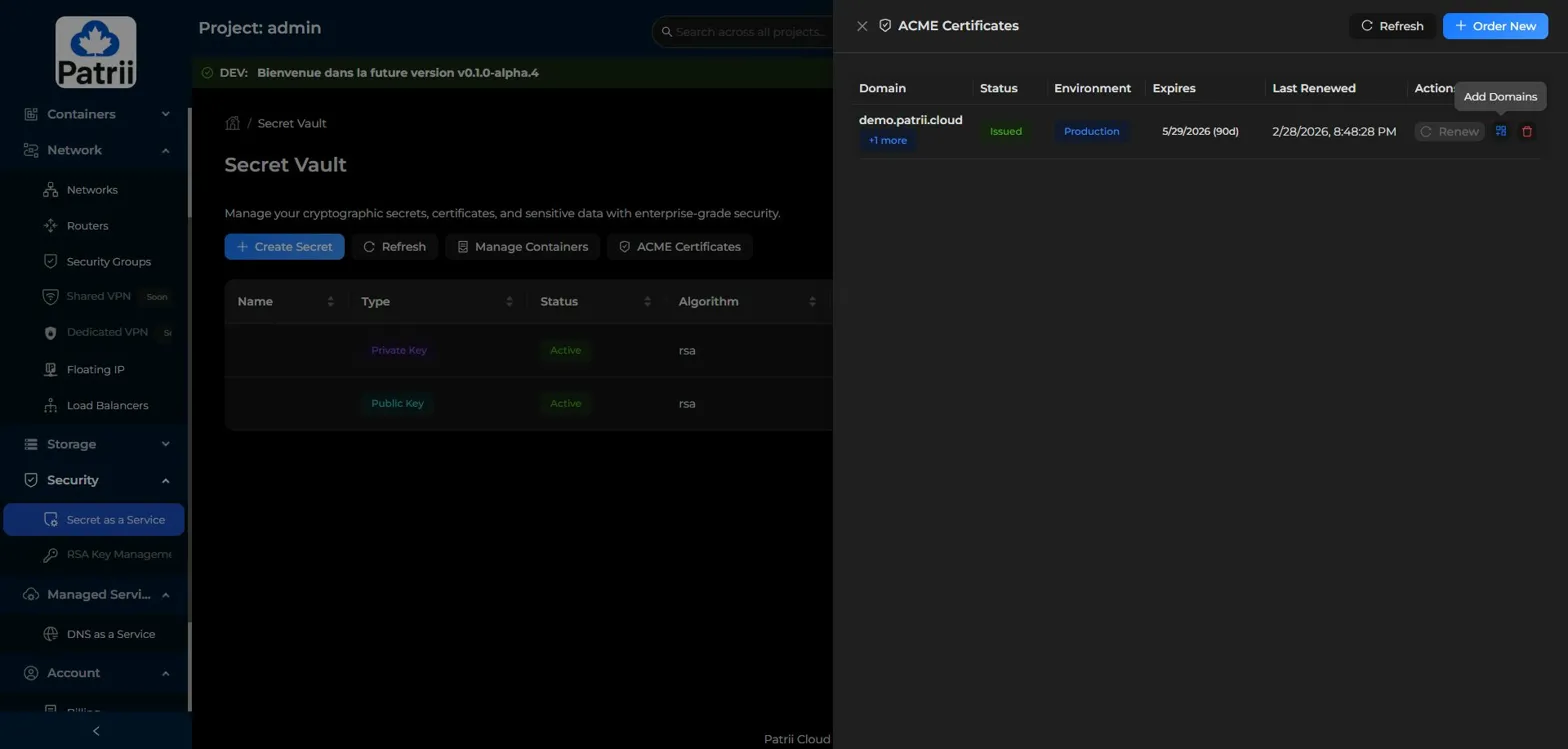
Certificates renew automatically one month before expiration. No cron jobs. No calendar reminders. No risk of an expired certificate taking down your service at 2 AM.
You can also trigger a manual renewal at any time if needed.
Certificates stored as secrets, automatically organized
When a certificate is issued, Patrii Cloud automatically stores the private key, the certificate itself, and the intermediate chain as individual secrets inside the Secret Vault.
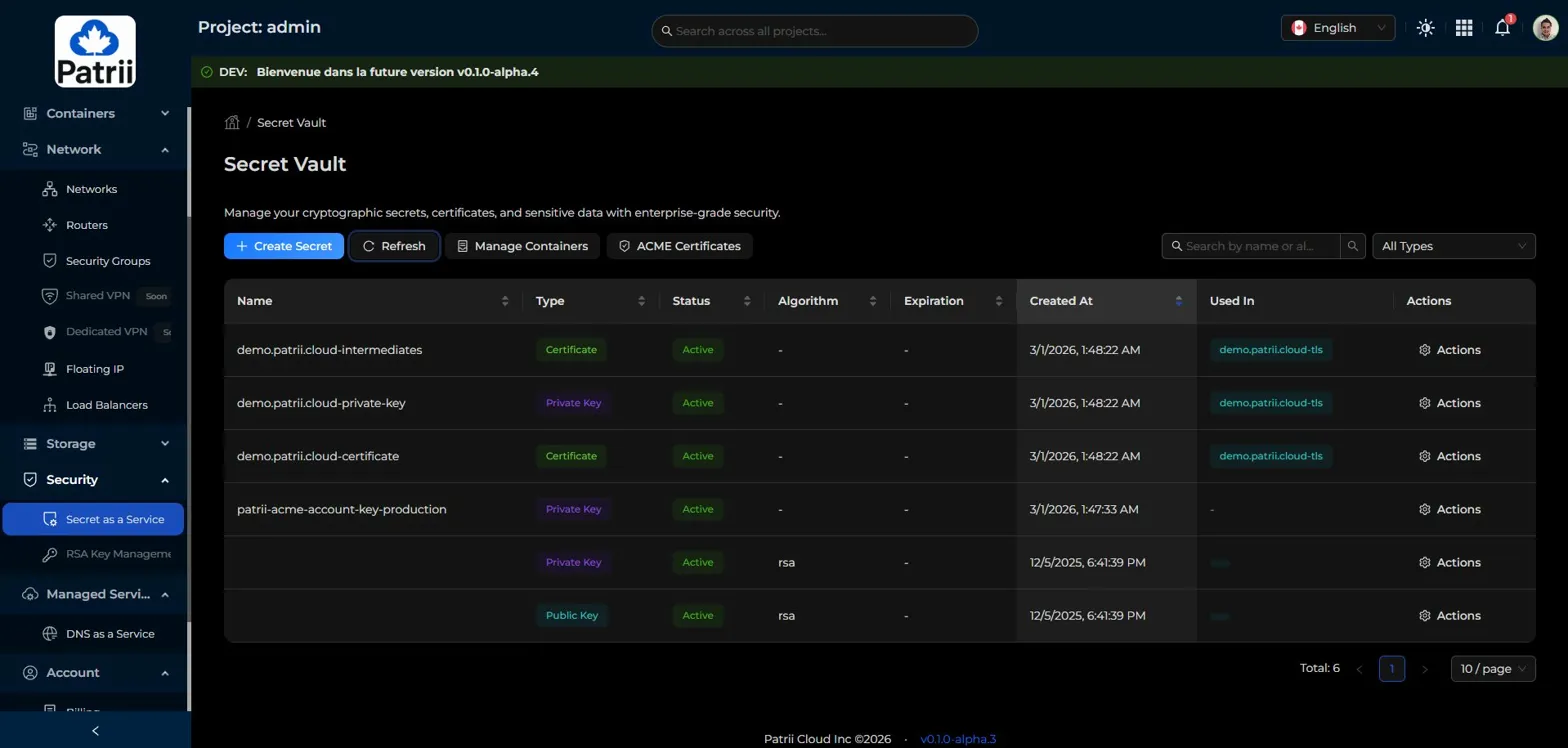
These secrets are also grouped into a Secret Container, a logical bundle that keeps related items together.
From the Manage Containers view, you can see all your containers at a glance.
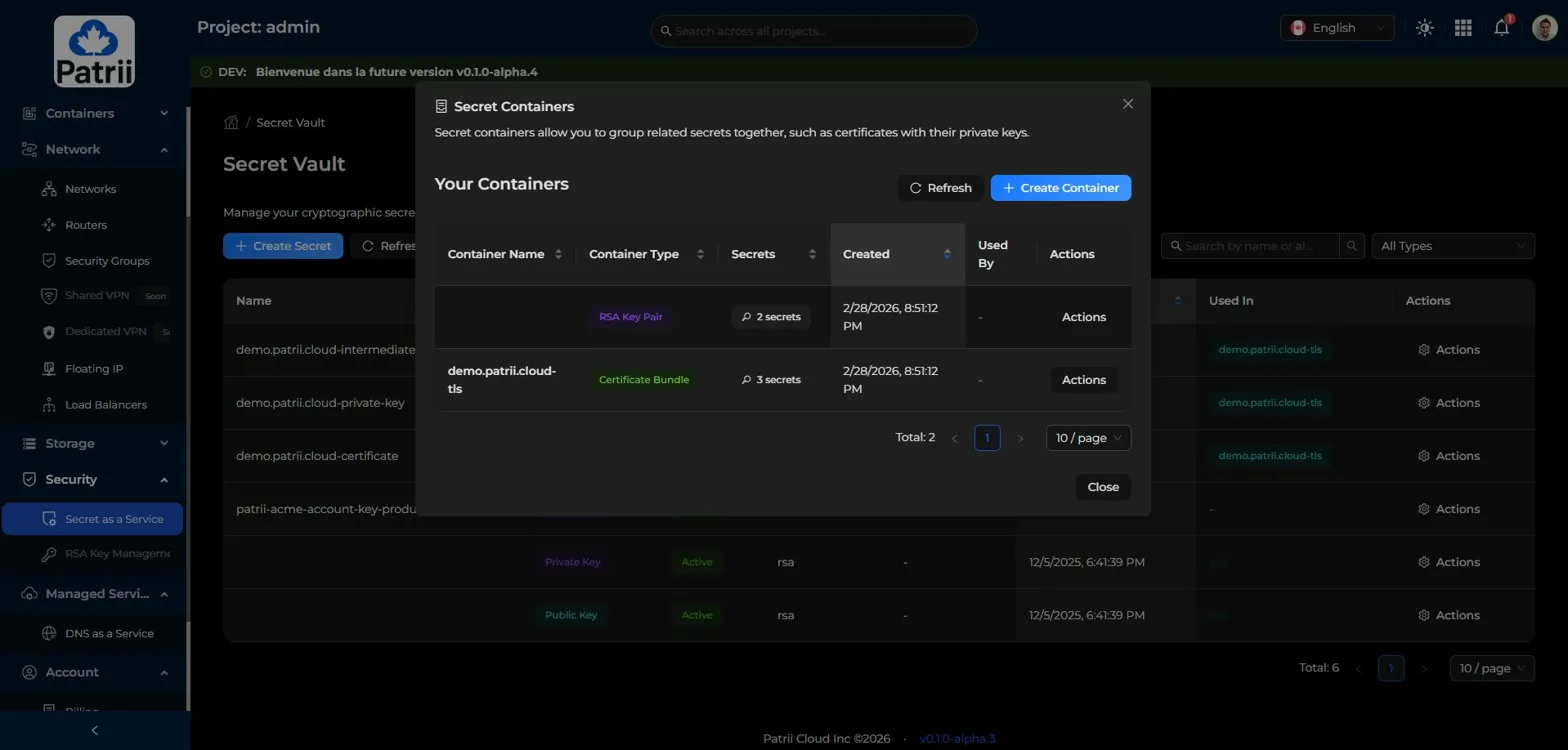
Opening a container shows exactly what is inside, with the internal reference for each secret.
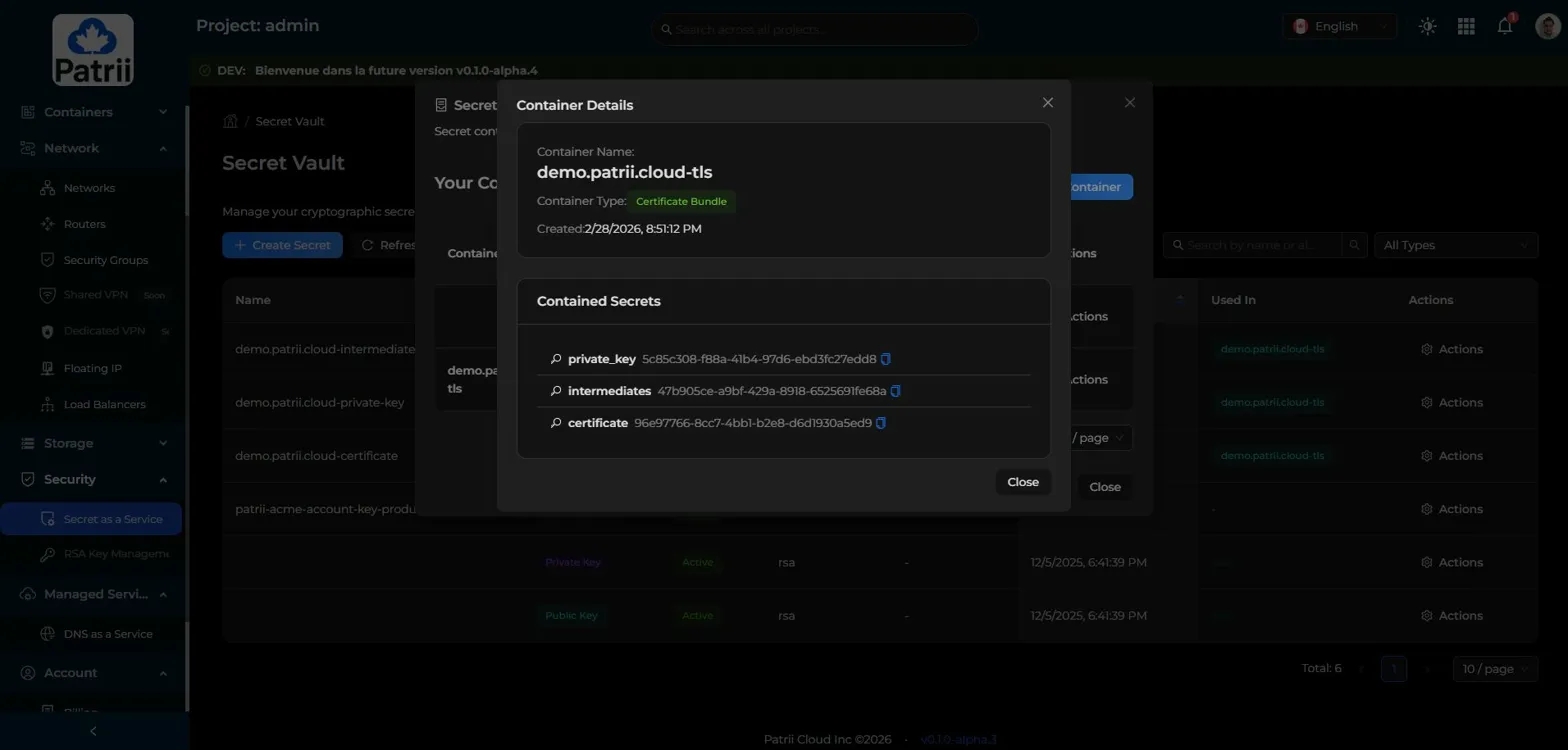
This is important for automation. You can use these references directly through the API to retrieve your certificates and keys programmatically.
Full visibility into every secret
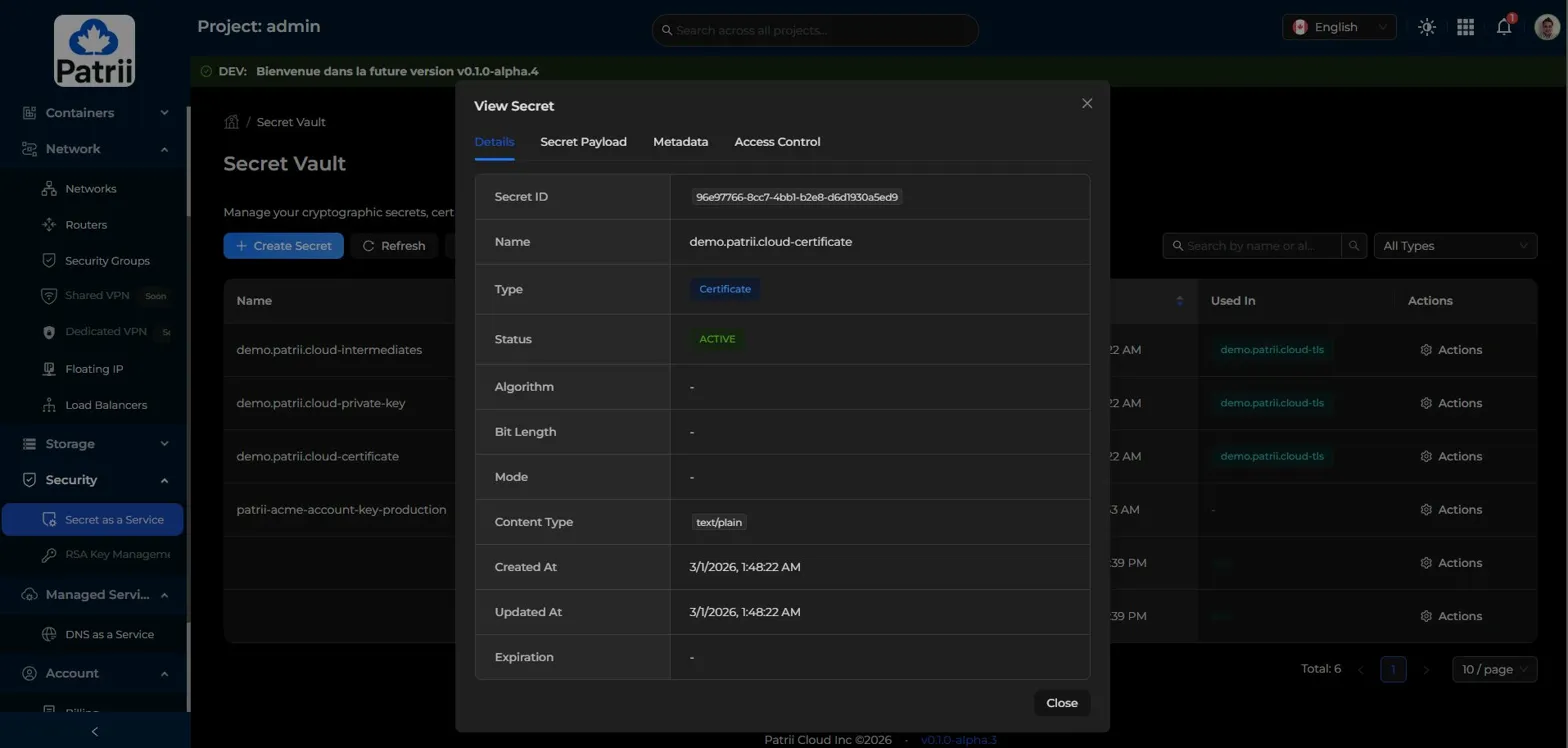
Each secret in the vault can be inspected individually.
The View Secret action shows you all the details: the secret ID, name, type, status, content type, creation date, and which container it belongs to.
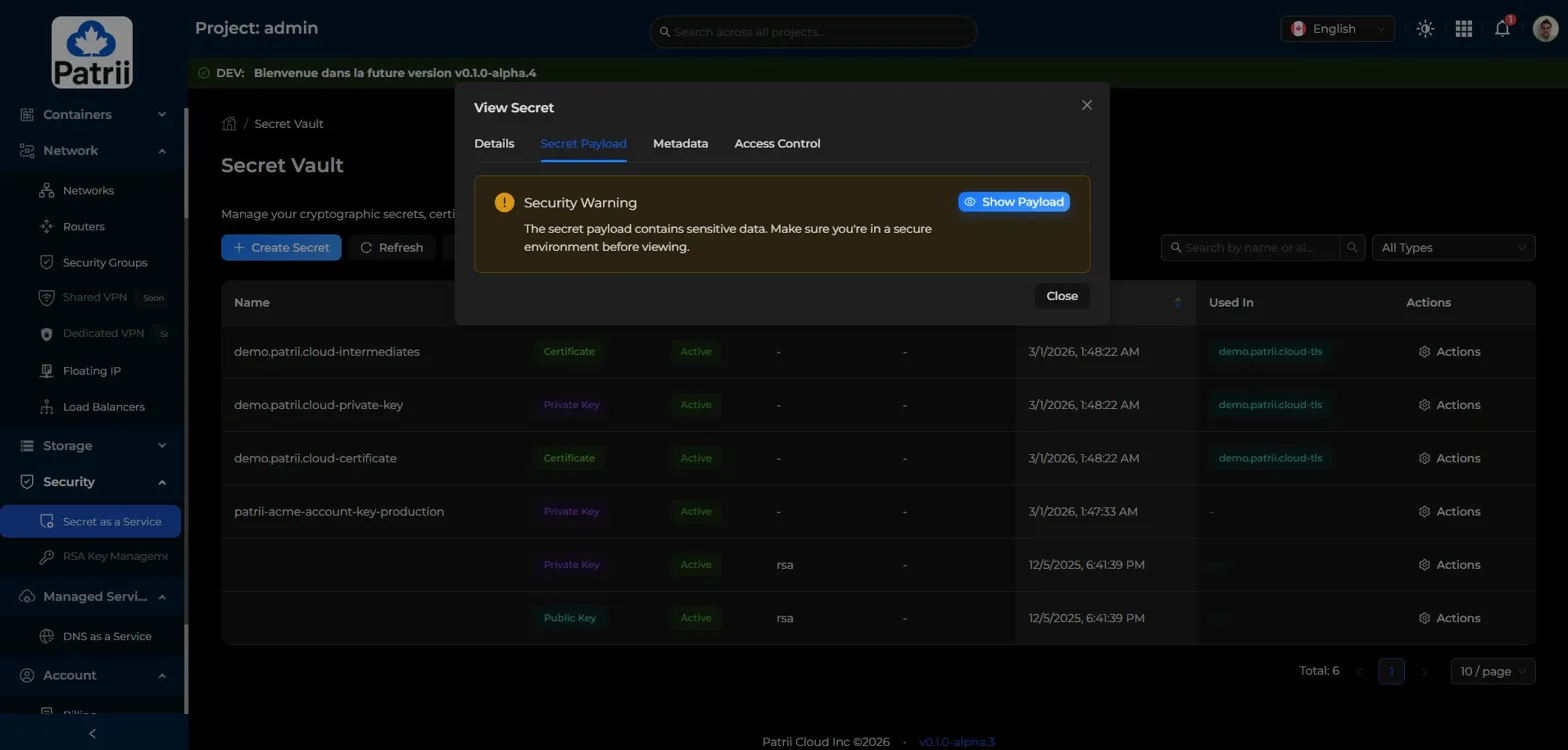
You can also view the secret payload directly. A security warning reminds you to make sure you are in a secure environment before revealing sensitive data.
If you need the actual certificate content to use it outside Patrii Cloud, it is right there. You can copy it or retrieve it through the API.
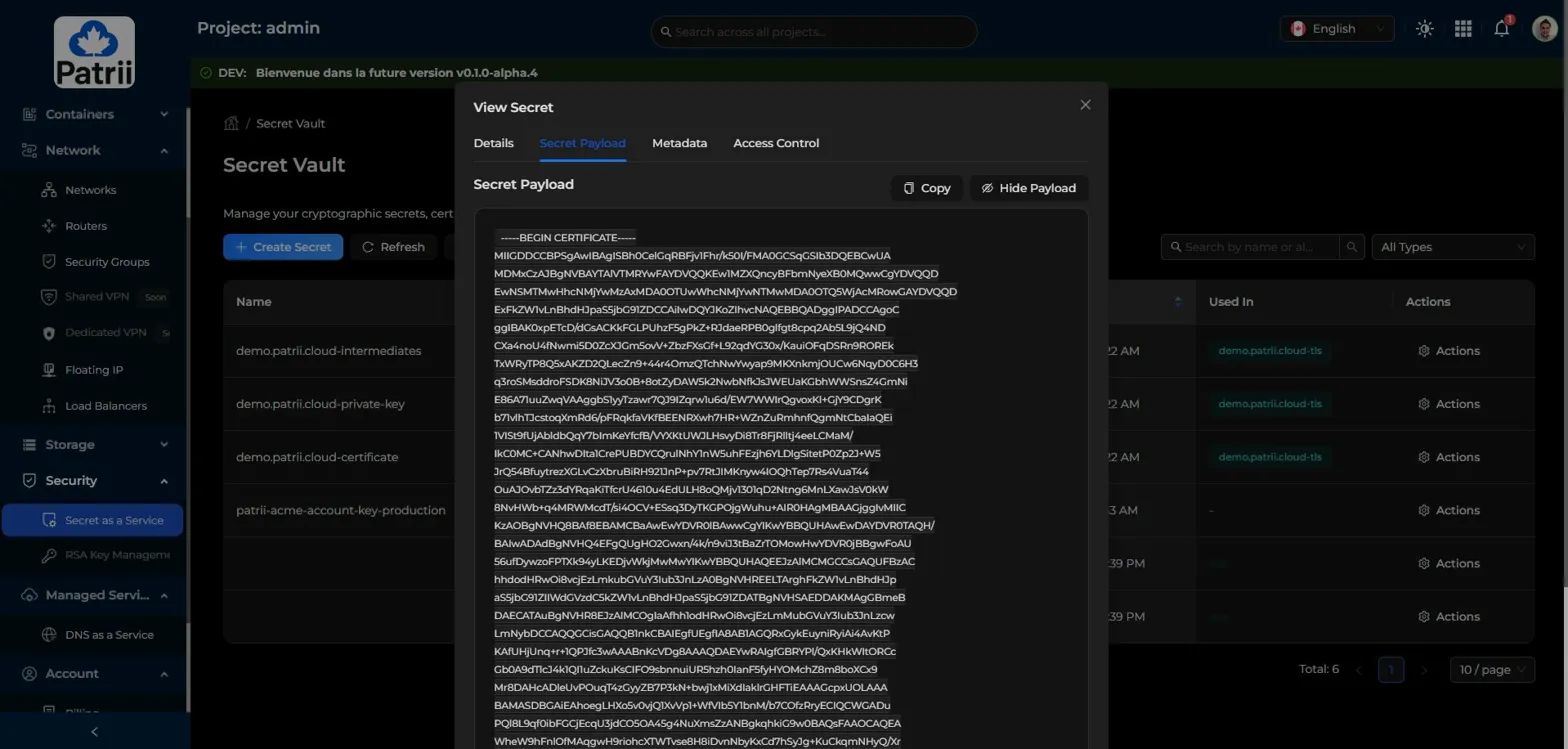
Nothing is hidden. Nothing requires external tools to access.
Each secret also offers a Manage Certificate shortcut
For secrets that are part of an ACME certificate, the Actions menu includes a Manage Certificate option that takes you directly to the certificate management view.
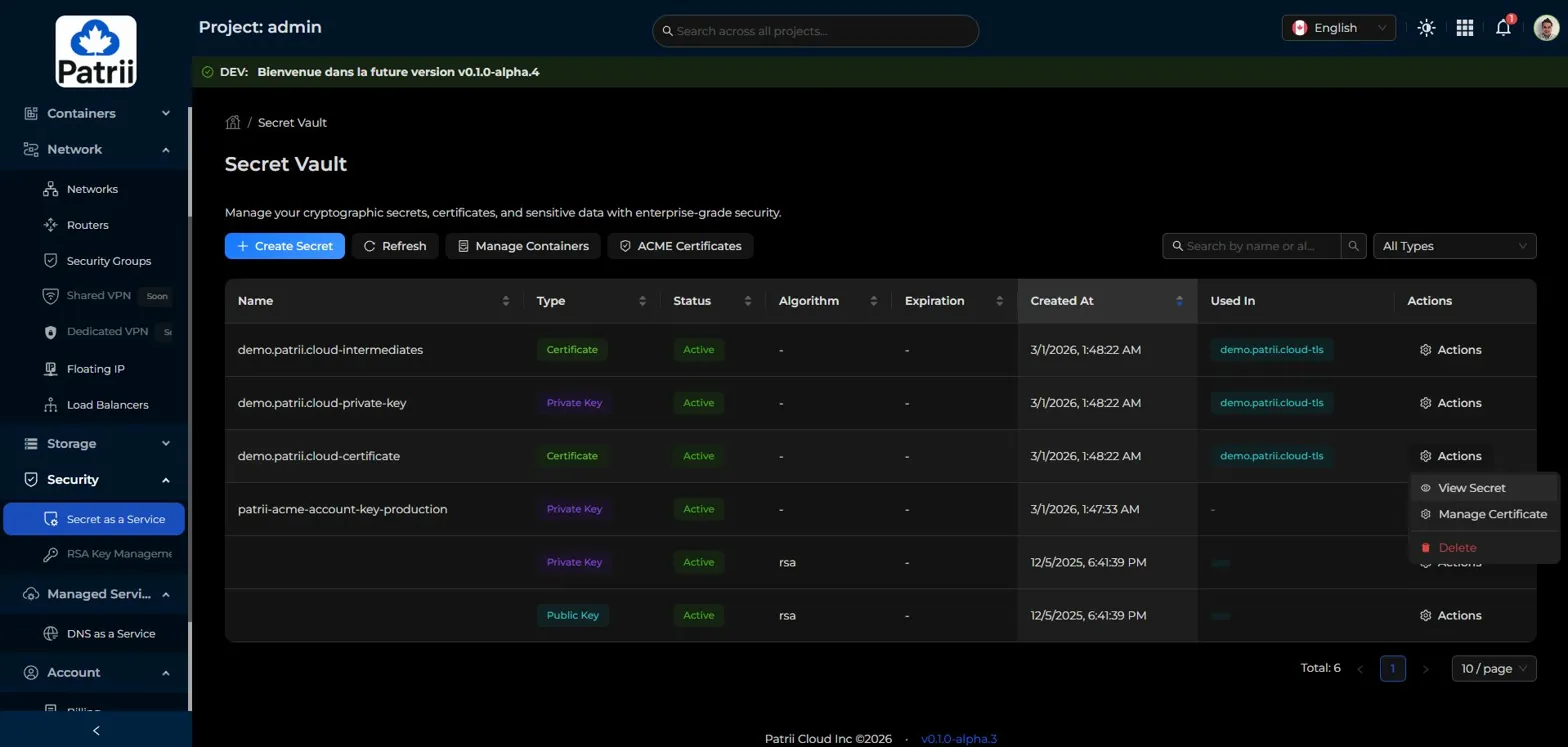
This makes it easy to navigate between secrets and their associated certificates without losing context.
Secret as a Service is not limited to certificates
While ACME Certificates are the focus of this article, our Secret as a Service supports much more than TLS certificates.
You can store any type of secret:
- Symmetric Keys
- Public Keys
- Private Keys
- Certificates
- Passphrases
- Opaque Data
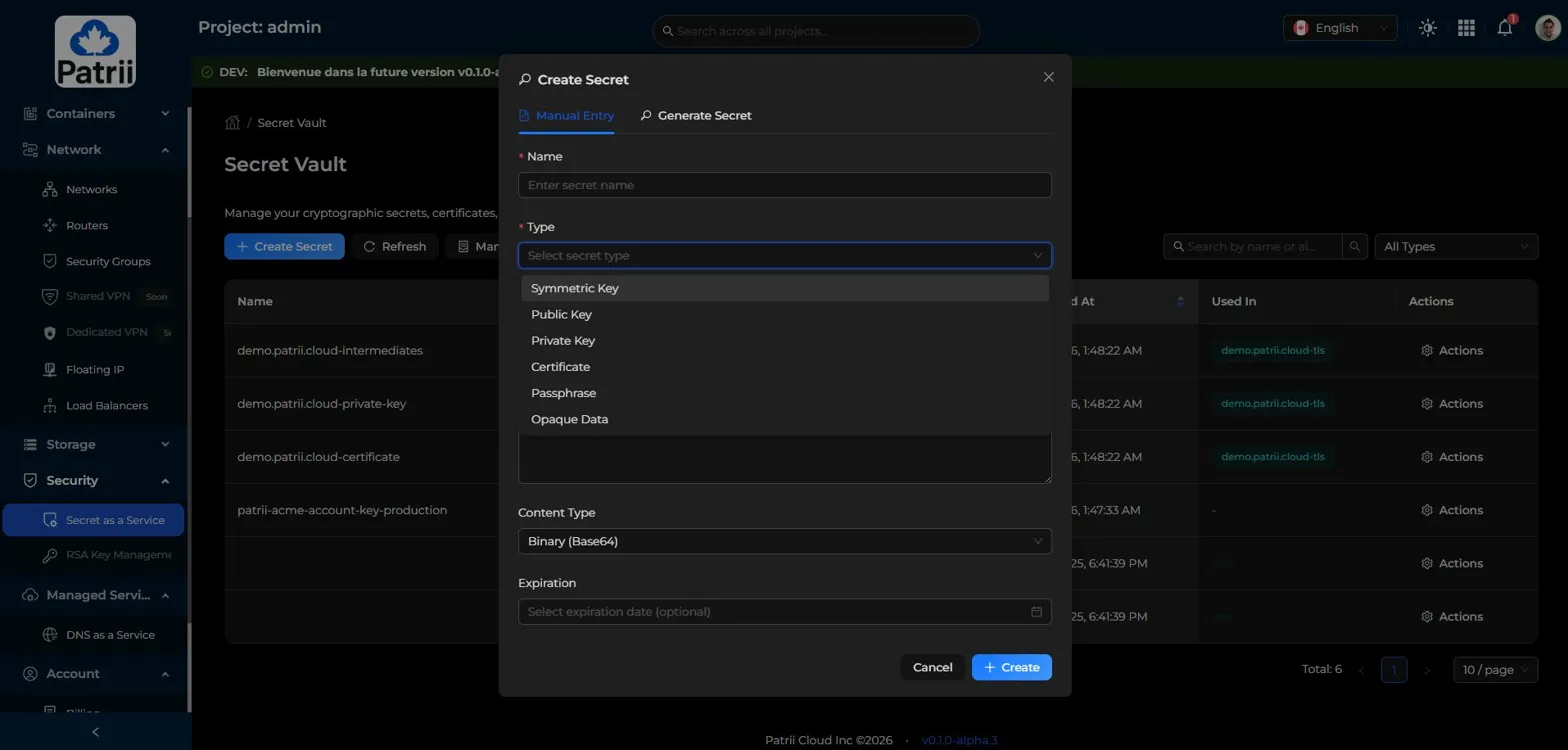
Whether you need to store an API key, a database password, a signing certificate, or any other sensitive value, the Secret Vault handles it with enterprise grade security.
Everything is accessible through the console and the API.
Why this matters
TLS is not optional anymore. Every service, every API, every public endpoint needs a valid certificate.
With Patrii Cloud, certificates are no longer an external dependency you manage on the side. They are part of your infrastructure, issued through your DNS zones, stored securely in your vault, and accessible through a clean API.
This integration means:
- no dependency on third party certificate management tools
- no manual file transfers
- automatic renewal one month before expiration
- everything stays under the same sovereign control as the rest of your Patrii Cloud infrastructure
- directly usable with our Load Balancer as a Service, and with more services as they come
What is coming next
This article is the second in our series highlighting what is coming in the next Patrii Cloud release.
We still have more to share, including Load Balancer as a Service, VPS rescue mode, block device snapshots, Terraform support, the Patrii CLI, full IPv6 support, and more.
Each article focuses on one feature at a time, using real screenshots taken from features that already exist or are in final testing.
We believe transparency matters.
We prefer showing how things actually work rather than promising what might exist one day.
More details will follow very soon.
The Patrii Cloud Team
Ready to get started?
Subscribe to our newsletter to stay updated with the latest news.
Start deploying on Patrii Cloud today!
Access Cloud Console